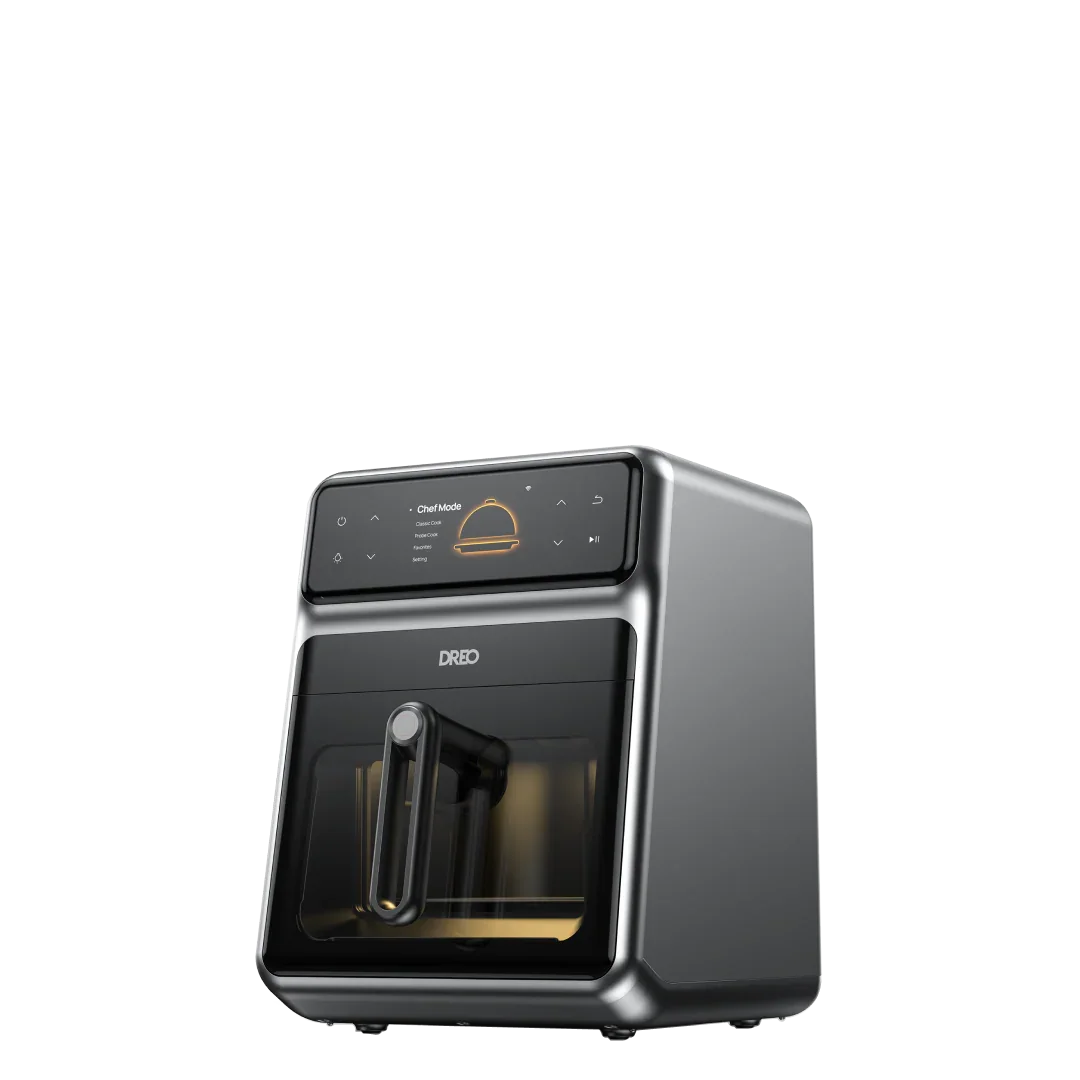
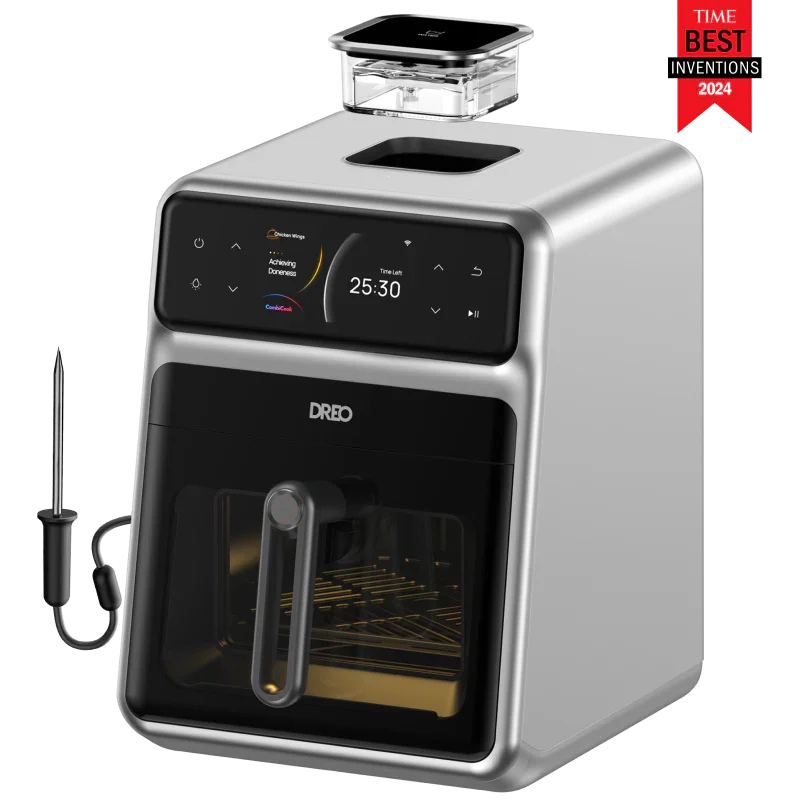
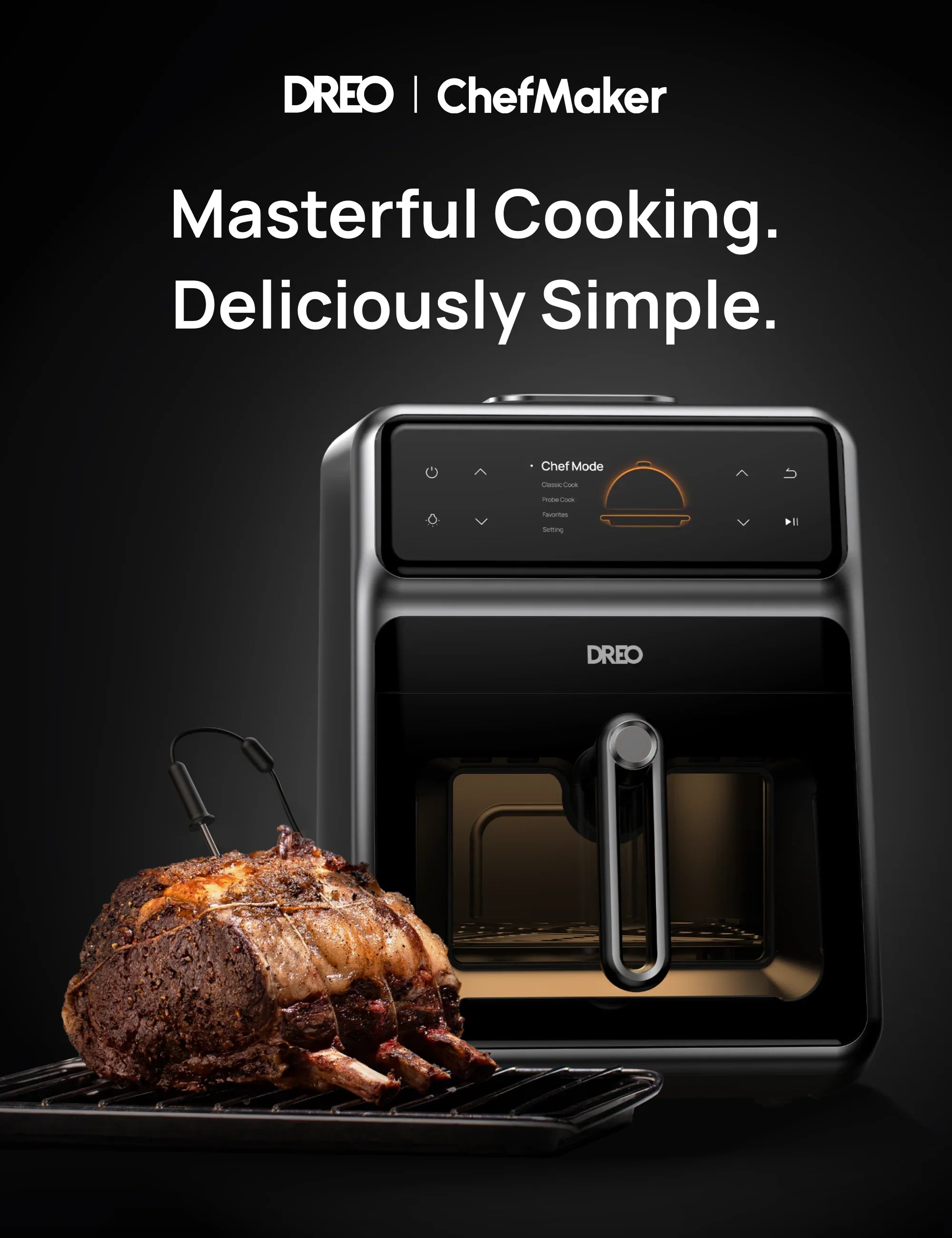
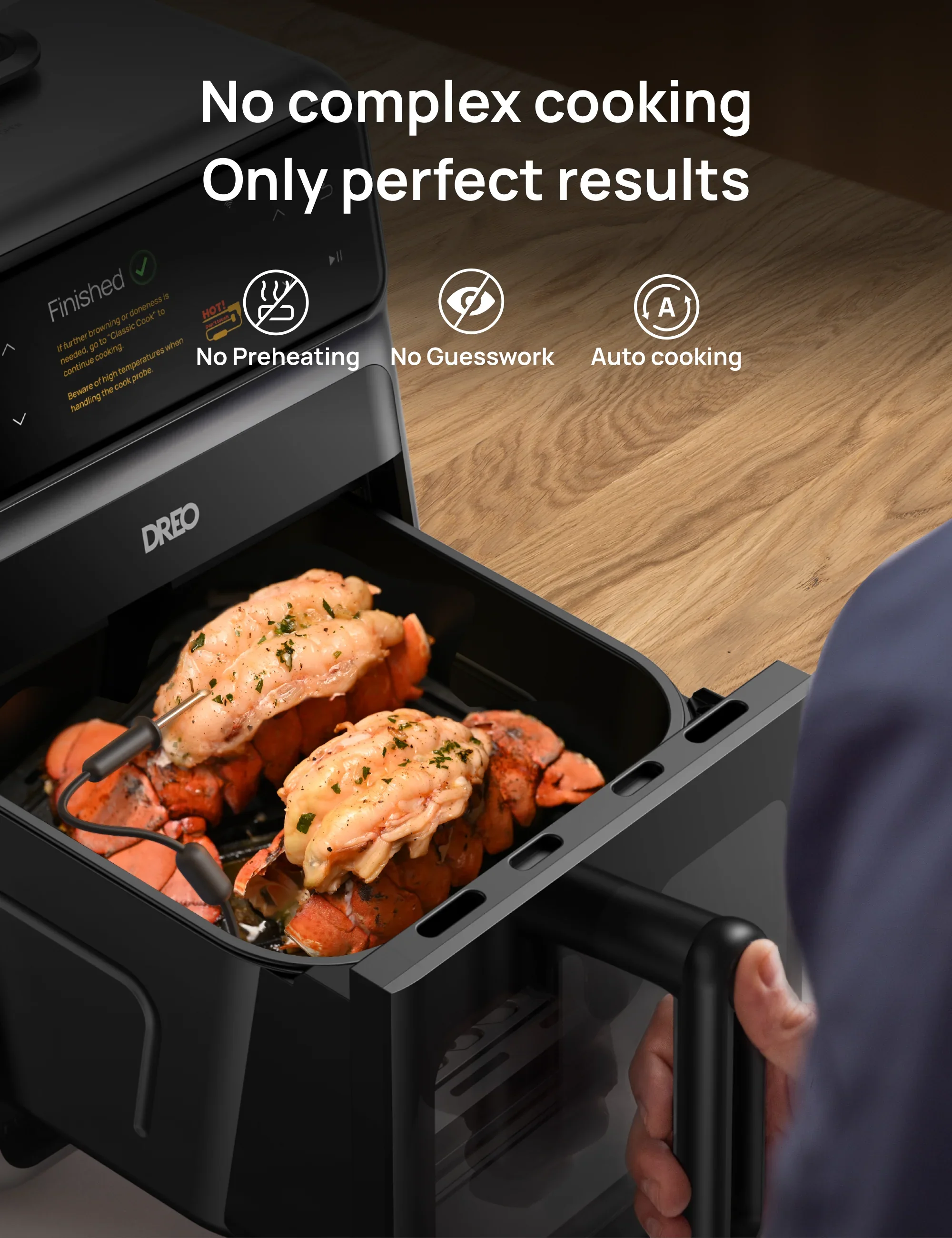
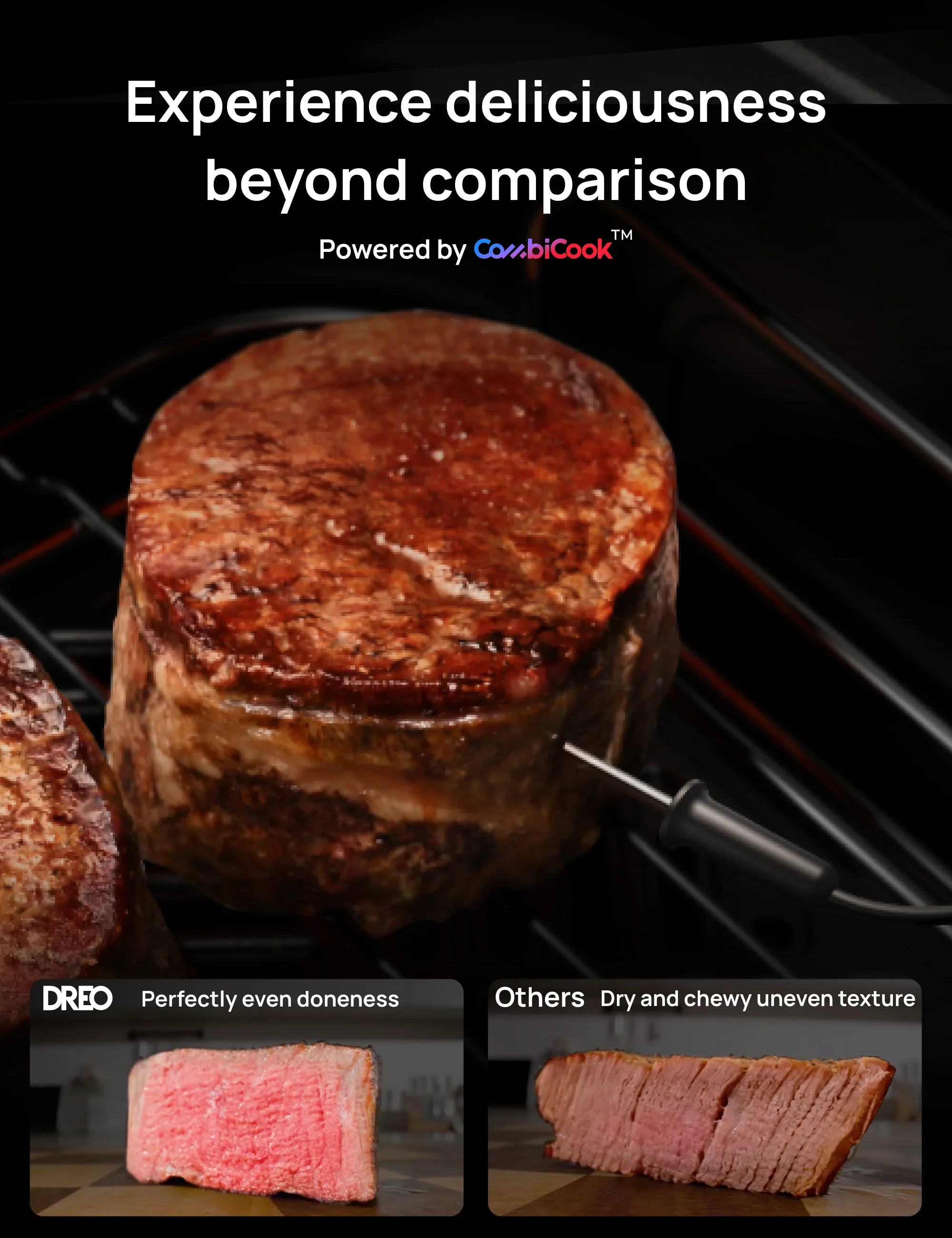
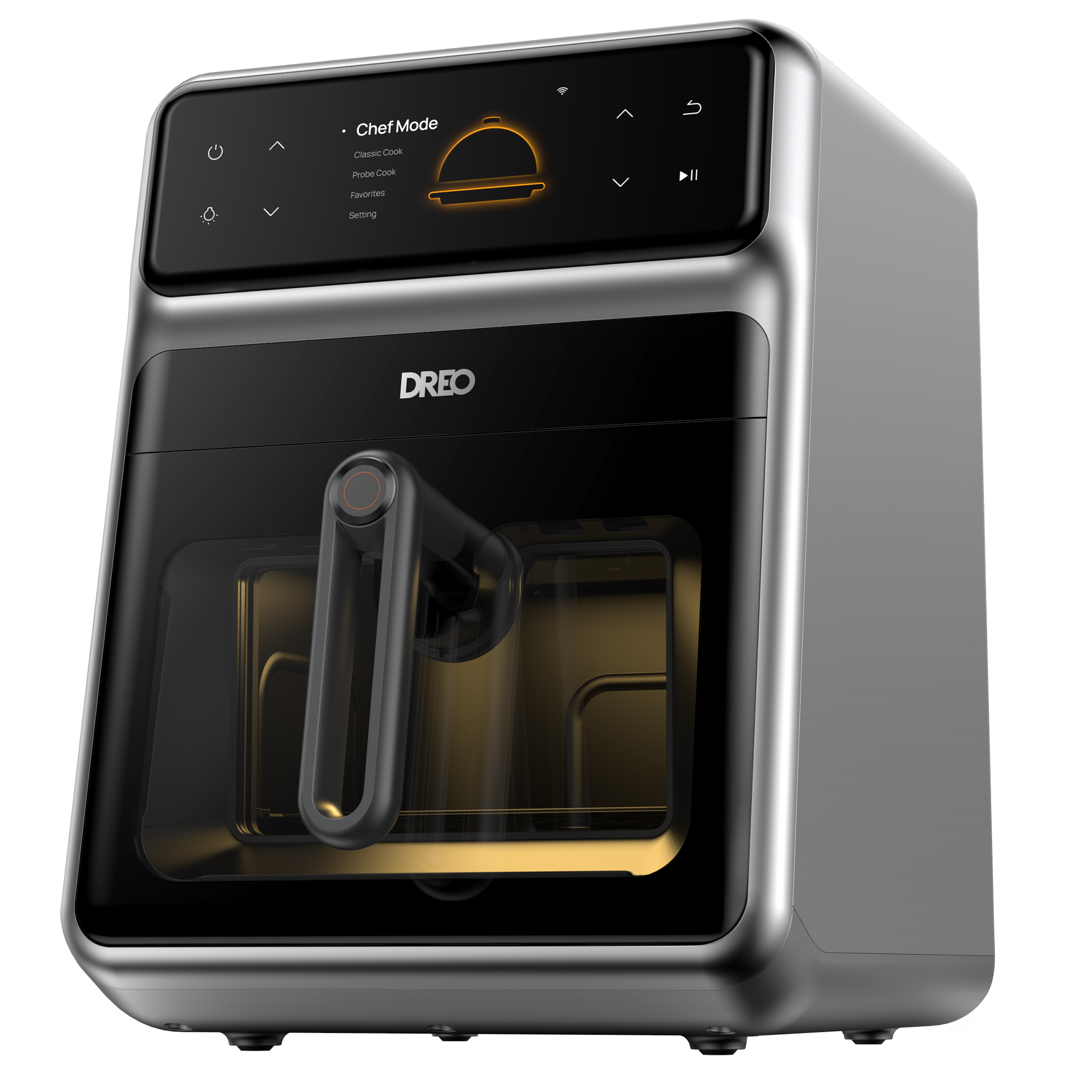
Masterful Cooking Made Easy: The Dreo ChefMaker combines culinary expertise and food science to deliver perfectly cooked meals every time.
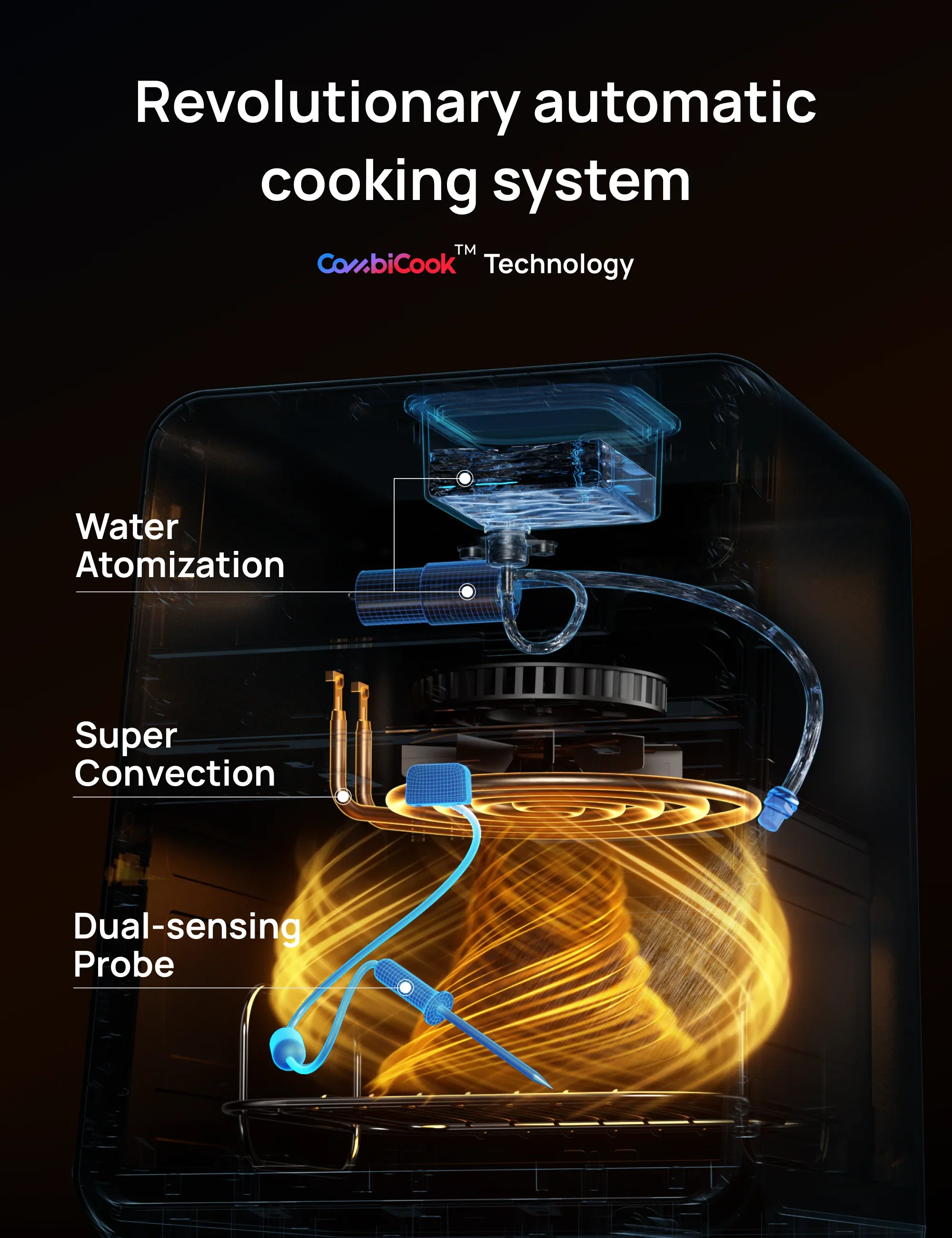
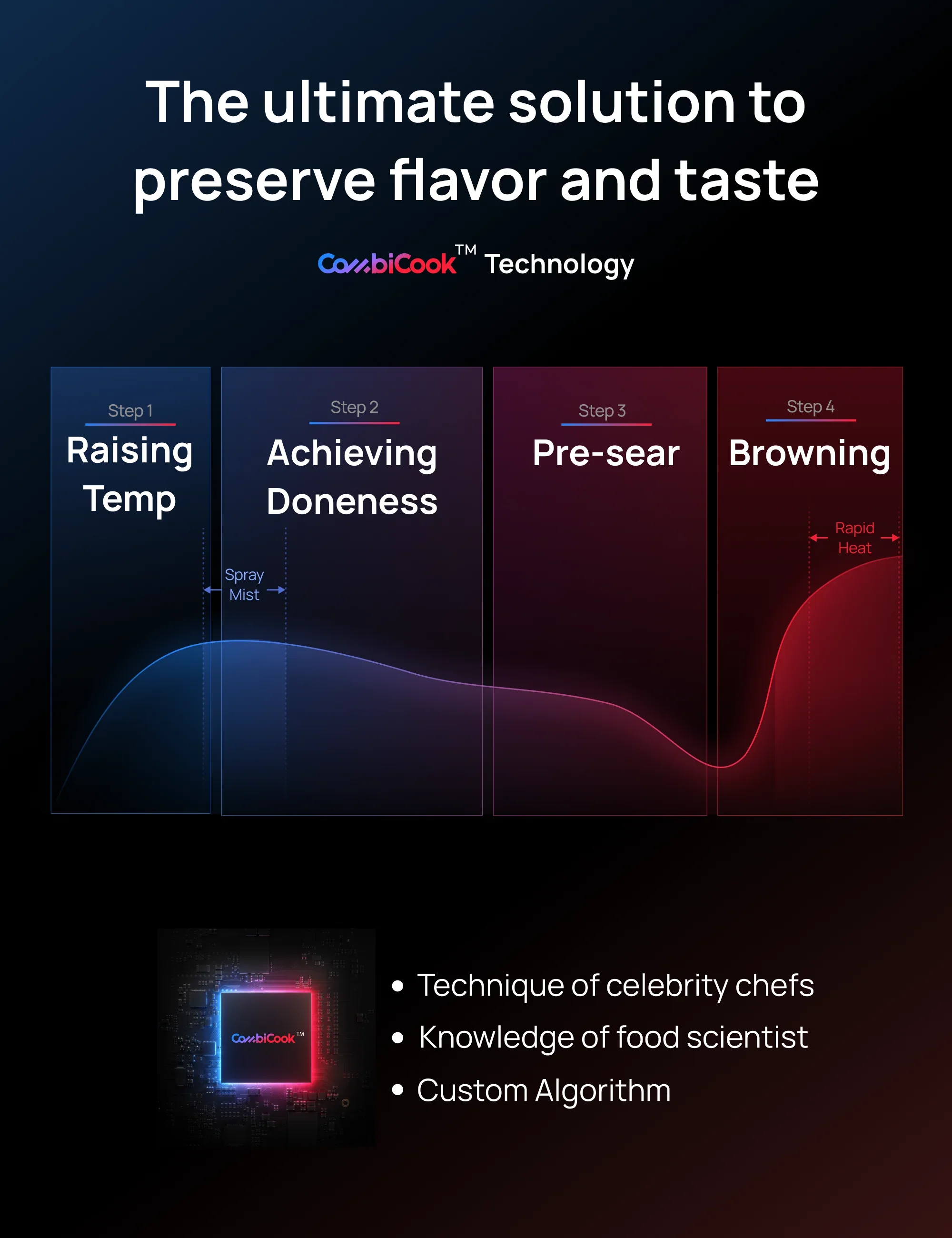
Intelligent Cooking System: ChefMaker's precise cook probe, water atomization, and super convection heating systems are controlled by a smart algorithm. Its Combicook multi-stage cooking technology ensures optimal doneness, browning, juiciness, and aroma.
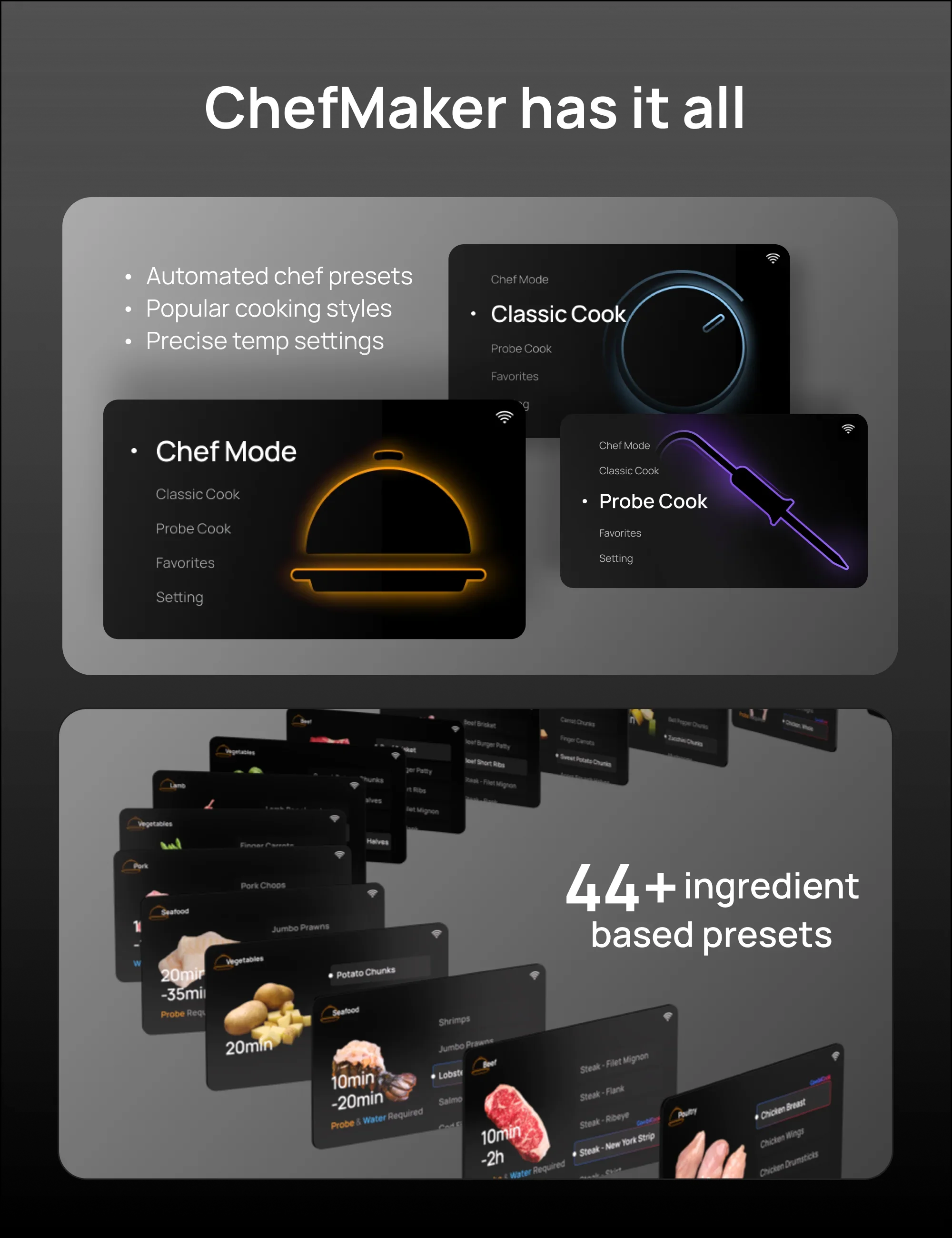
Three Flexible Cooking Modes: ChefMaker caters to all skill levels with ingredient-based presets in Chef Mode, quick meals in Classic Mode, and precision cooking for experts in Probe Mode.
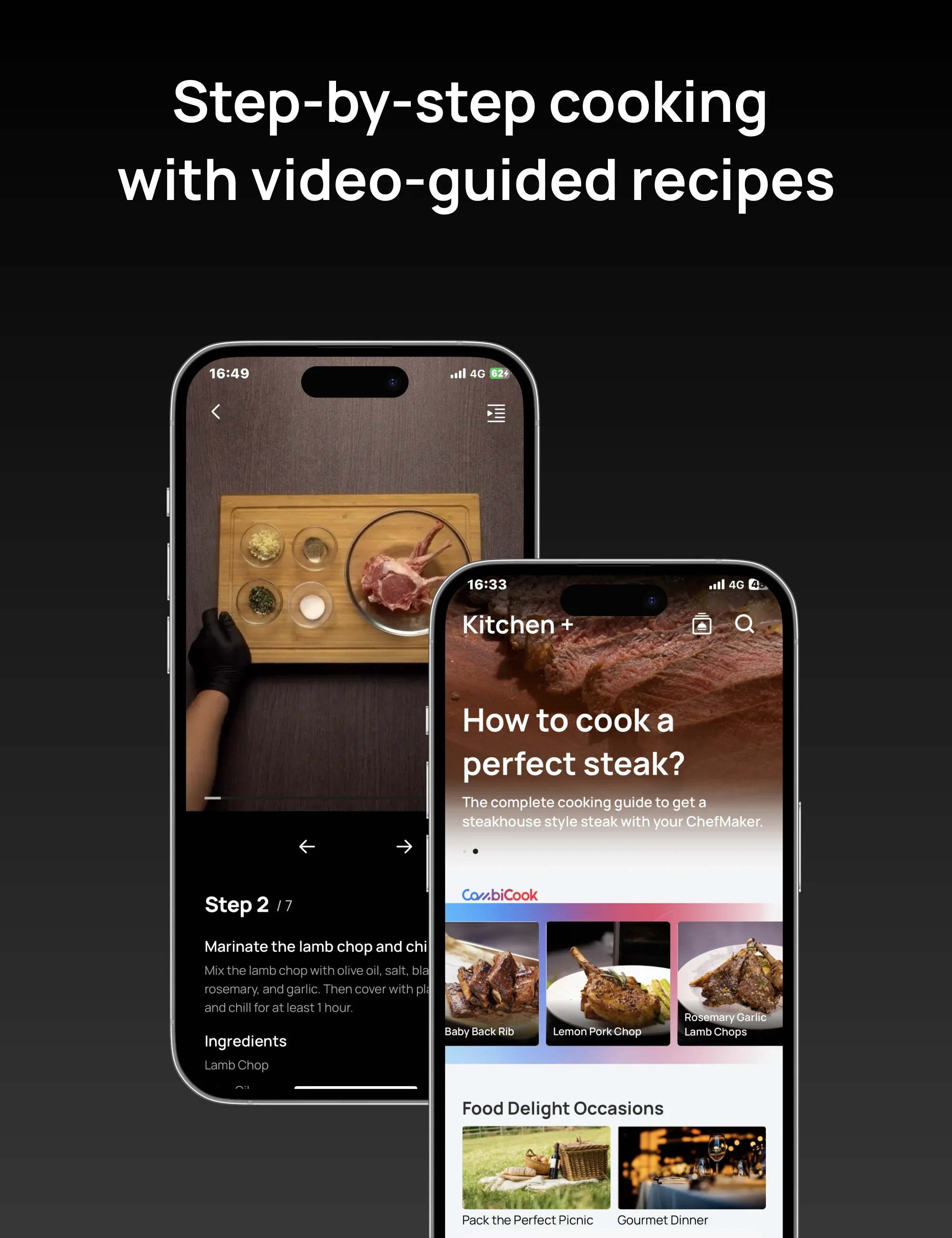
Enhanced Cooking Experience: The Dreo App allows you to cook at your own pace, offering step-by-step video-guided recipes, cooking process updates, notifications, and more.
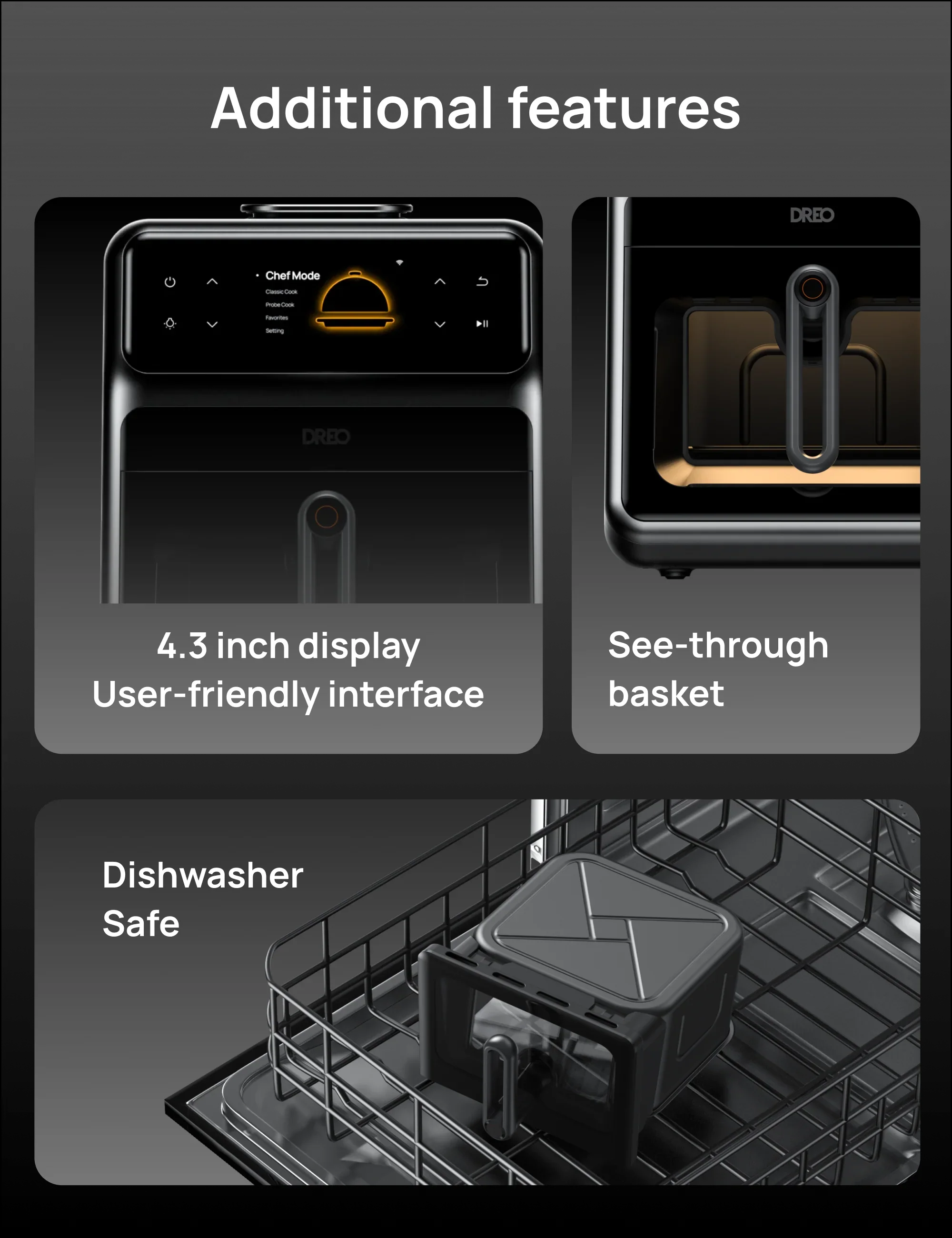
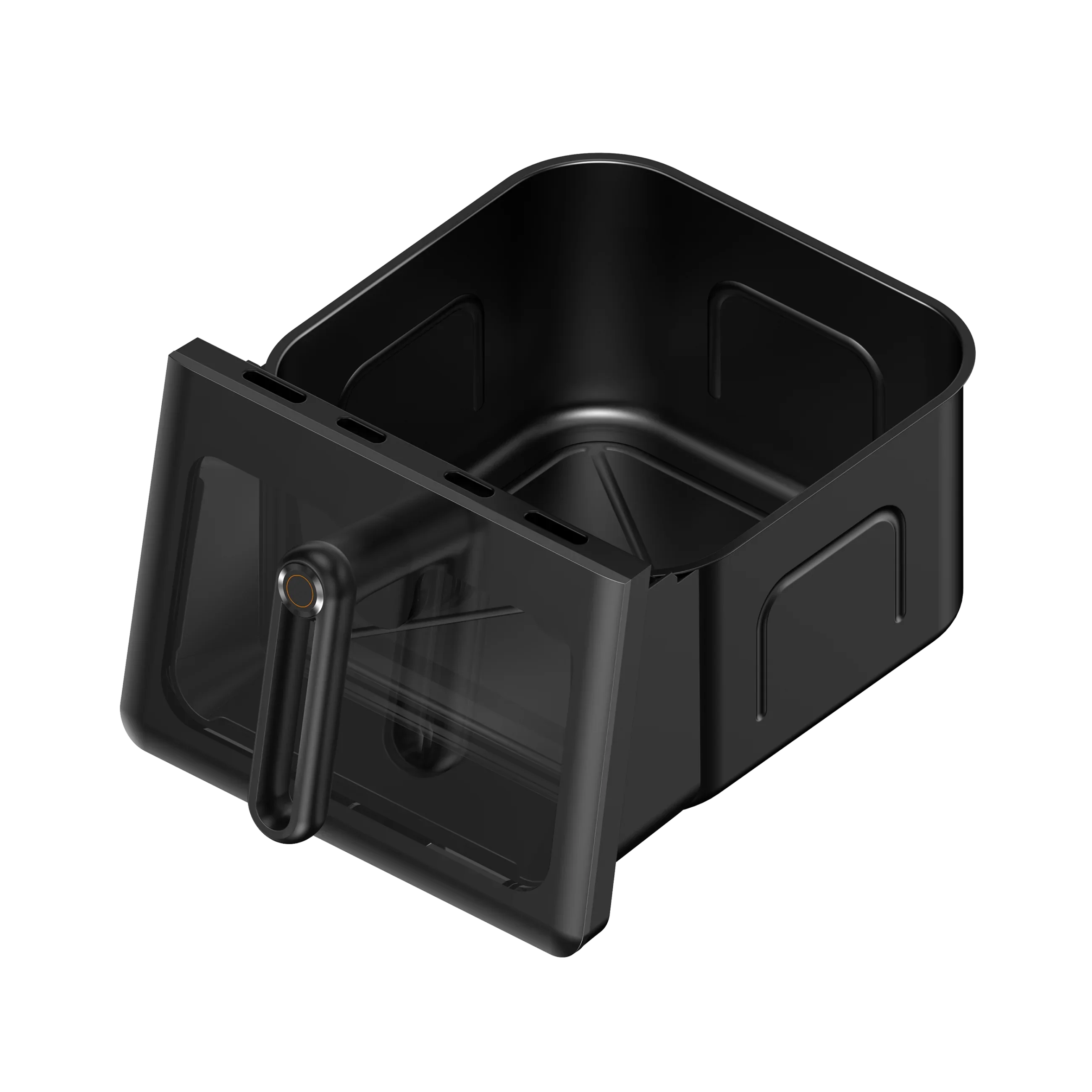
Feature-rich Design: ChefMaker boasts a 4.3-inch display with a user-friendly interface, super convection heating, dishwasher-safe components, and a transparent glass basket for easy monitoring.
1. Before use, please ensure that you have received all the items listed in the packaging and check them for any damages or defects. If there are any issues, please contact DREO for replacement or repair services. 2. Wash all the components with clean water and install them in their correct positions according to the instruction manual. 3. Place ChefMaker on a stable surface, leaving some space around it, and then plug it into a power outlet. 4. Download and install the ChefMaker application on your smartphone, and follow the on-screen instructions for setup. For details, please refer to the user manual. 5. You are now ready to start cooking with ChefMaker.
How to Connect the Device to the APP
1. Before you begin, you need to download the DREO APP from the app store and ensure that your phone and ChefMaker are connected to the same Wi-Fi network. 2. Open the Dreo app and click on the middle or upper-right corner's + sign to access the network pairing radar page. Select ChefMaker to enter the pairing page. 3. Next, you need to open Settings on the device and select WLAN. The screen will display that the device is currently in pairing mode. 4. Once you're on the network device page, enter the Wi-Fi name and password, and the device will automatically start connecting. 5. After the connection is complete, you can remotely control ChefMaker through the DREO APP and monitor the cooking progress in real-time.
What is Chef Mode
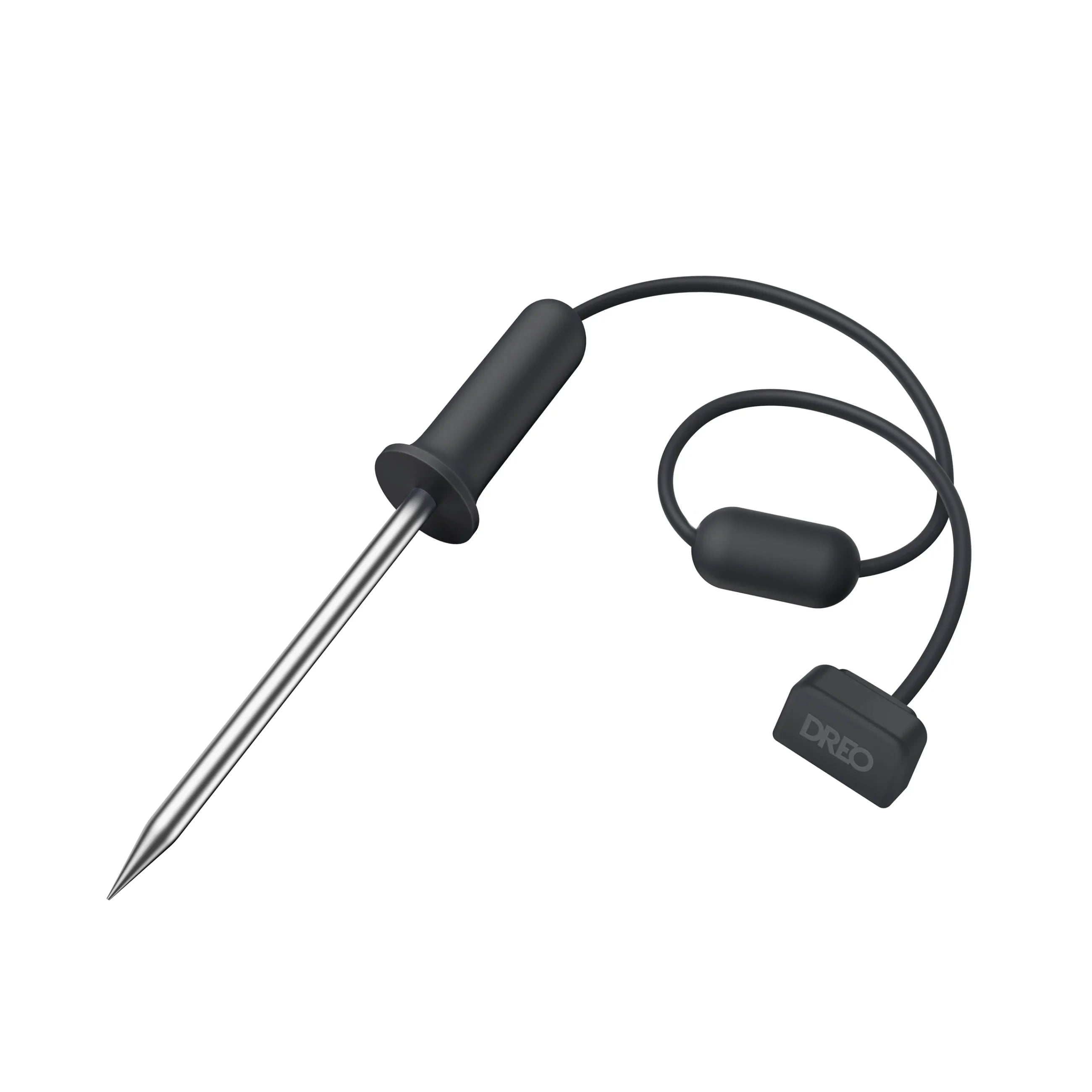
Chef Mode offers more than 40 ingredient cooking programs curated by top chefs, fully grasping the cooking characteristics of different ingredients. Even cooking novices can easily obtain dishes prepared by professional chefs with just a press of a button. All you need to do is select your desired menu, choose the desired level of doneness and flavor, and the program will automatically supervise the cooking process for you. The built-in smart meat thermometer and water tank in the cooking process will work in synergy with the CombiCook technology system, providing you with chef-level gourmet cuisine.
What is Classic Cook
Classic Cook is the classic frying and roasting mode, offering 8 common cooking methods: Air Fry, Broil... Simply set the required temperature and time for cooking to start quickly.
What is Probe Cook
Probe Cook is a cooking mode centered around the probe temperature, which allows for precise control of the food's internal temperature and ensures it reaches the desired level of doneness.
How to Connect the Dreo App to your ChefMaker
1. Before you start, you need to download the DREO APP from the app store and ensure that your phone and ChefMaker are connected to the same Wi-Fi network. 2. Open the Dreo app and click on the middle or upper-right corner's + sign to access the network pairing radar page. Select ChefMaker to enter the pairing page. 3. Next, you need to open Settings on the device and select WLAN. The screen will display that the device is currently in pairing mode. 4. Once you're on the network device page, enter the Wi-Fi name and password, and the device will automatically start connecting. 5. After the connection is complete, you can remotely control ChefMaker through the DREO APP and monitor the cooking progress in real-time.
How to Send Cooking Tasks from Dreo App
1. From the device's home page product image or Control Bar, enter the device control interface. 2. In the device control interface, you can select the cooking mode, choose a menu and preferences, or set cooking parameters, and then send the cooking task to the device. 3. After sending the task, you need to click on confirm on the device to start the cooking process.
About Cooking Supervision and Remote Control
1. After the device starts cooking, you can remotely view the device's status and cooking progress on the APP. 2. You can remotely control the oven light switch or stop the cooking with a single button. 3. In Classic Cook and Probe Cook modes, you can also remotely adjust the cooking parameters. 4. When cooking is completed or if any issues occur, you will receive timely push notifications as reminders.
The Usage of Online Recipe
You can explore professional chef-designed online recipes specially created for ChefMaker in the Kitchen+ section of the Dreo APP. Each recipe includes: 1. Access the Kitchen+ section by tapping the Kitchen tab in the bottom navigation bar of the APP. 2. Click on a recipe cover to enter the recipe details, where you can find comprehensive information about each recipe. 3. In the recipe details, you can adjust the ingredient quantities based on the number of servings you need. 4. Click on the step cover or get the step card to view step-by-step video instructions for the recipe. 5. You can use drag and drop to switch between different views. 6. Click on the direction arrow or select steps from the table of contents to switch between recipe steps. 7. When you reach the cooking step, you can directly click the Cook Now button to send the cooking task to the device.
What System Setting Include
1. Auto Screen Off. When enabled, the device will automatically turn off the screen or enter power-saving mode after 60 seconds of inactivity. 2. Temperature Unit Switch Supports switching between Fahrenheit (°F) and Celsius (°C) temperature units. 3. Key Sound Enables or disables the sound of key presses. *Cooking feedback and alarm sounds will not be affected. 4. Device Reset You can reset all personal preferences, network information, bookmarked content, and history records on the device through the device reset function.
Software Upgrade / Firmware Upgrade Guide
1. Click on the setting card at the bottom of the home page, select Firmware Version, and enter the firmware update page. 2. Tap the upgrade button at the bottom to start the firmware upgrade. • If there is an ongoing cooking or maintenance task on the device, firmware upgrade is not allowed. Please try again after completing the task. 3. The firmware upgrade process may take 5-20 minutes. During the upgrade process, please note: a. Ensure both the device and your phone are in a stable network environment. b. Keep the Dreo APP on the upgrade page and always in the foreground on your phone. c. Do not unplug the power of ChefMaker. 4. If you encounter poor network conditions during the upgrade process, you can reconfigure the device by long-pressing the return key on the device to switch to another Wi-Fi or personal hotspot. For the network configuration process, please refer to the Connect the Dreo Home App to your ChefMaker instructions. 5. If the device fails to upgrade successfully for an extended period, please contact DREO customer service for troubleshooting and solutions.
The Usage of Water Spray System
ChefMaker is equipped with a water tank and water spray system, ensuring the taste and nutritional value of the food. When using the water tank and spray system, please keep the following points in mind: 1. Currently, only Chef Mode utilizes the water spray system. 2. Please follow the menu instructions and fill the water tank when using menus that require the water spray system. 3. During the cooking process, the program will automatically control the interval of water spraying based on the CombiCook algorithm to cool down or moisturize the food.
The Usage of Steak Grilling Rack
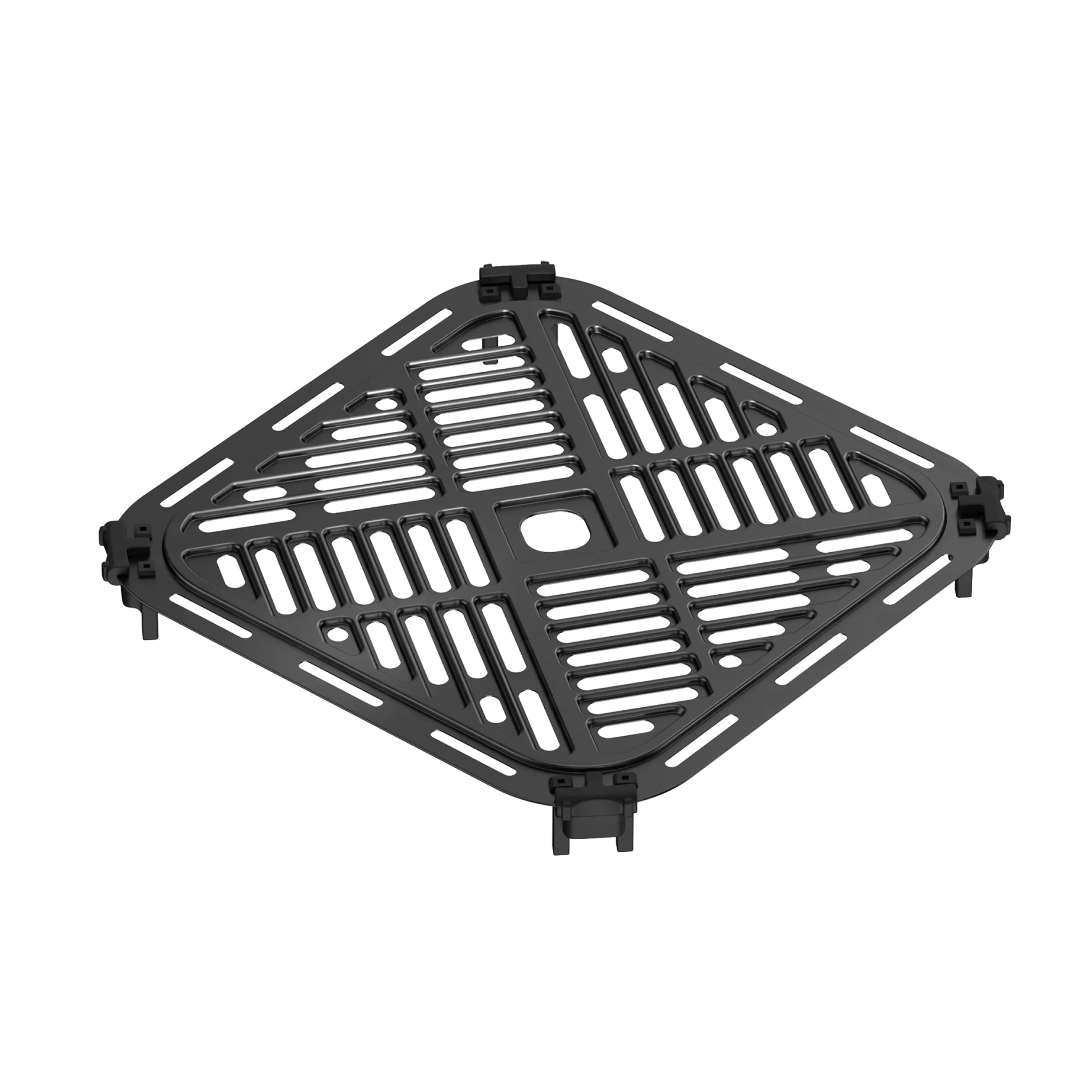
Using the steak grilling rack allows you to elevate the steak above the bottom of the air fryer, enabling better airflow around the steak during grilling. This improves ventilation and enhances the grilling effect. When using the steak grilling rack, please pay attention to the height after placing it to ensure that the food does not come into contact with the top heating elements. It is recommended to clean the grilling rack with hot water and detergent before the first use, and clean it thoroughly after each use to prevent food contamination for the next use.
Customer Reviews
4.9/ 5.0
This product is rated 4.9 of 5.0 stars. It has received 310 reviews.
Customer Reviews
Overall rating: 4.9 / 5 from 310 reviews.
Absolutely amazing machine. I have been in a professional kitchen for about 20 years and this little machine makes cooking a breeze at home. My kids have started using it to make dinner with too. They love it as well. Wifi makes it easy to know when things are done and ready to plate.
I could tell you this is worth every money. I had an air fryer that I paid $80 from amazon. I only had it for about maybe 2 weeks and I thought that airfryer was amazing but after using this one it's a very amazing smart air fryer that cook your meat it's perfect. I enjoyed cooking on this I don't even think I use my oven like that anymore LOL worth buying if you're looking for an amazing air fryer that has a Chef mode
We cooked this tritip sous vide and it came out perfect. We also air fry baby back ribs. Yum. We have purchased 3 of these and it is our go to for wesding gifts. Best purchases ever.
My first time cooking my lamb chops in DREO, I was kind of afraid at the beginning, had a hard time placing the probe in the right place, but finally got it. My lamb chops for some reason didn’t crisp much. I set the broiler and let them crisp some more. Final result delicious. In the overall, I need to practice more. I am very happy with my purchase.
I hope this saves some time for you! ?
After my previous air fryer got recalled because of a fire hazard, I decided to upgrade. It had been 3 years since the last upgrade, and I did a lot of research before buying the Dreo. I was a bit hesitant about the price, but I’m glad I did.
Wow, this little appliance is a kitchen superhero! It can cook proteins to perfection, and it can handle even the most complex tasks. The app recipes are top-notch and super easy for any level cook. ??
The machine is quiet and doesn’t get too hot, which is a plus. If there was a “commercial grade” unit from Dreo, I would easily pay $500+ for it.
I’m giving this 4 stars because it’s not perfect, but it’s pretty damn close. We’ll have to see if the app support survives as long as the appliance does.
Used this the first day. Followed directions and did a pre empty burn to get any new car smells out. Then cooked a ribeye for myself and later filet for my daughter. My steak was one of the best I had in years. Buying on for my dad for Christmas.
All you have to do is set it and forget it, but not totally, if you know what I mean, You gotta eat. I love to ease this Dreo brings to my life. You can easily control you cooking from the app and get updates when it is done straight to your computer home. I get a nice color on the top of my salmon and steak. You can always cook it to your liking. I been using it everyday even to toast bread.
I use parchment paper in my for easy clean up.
It’s a good machine but, for the price could be better. The temperature control is not so great you may have to cook a little bit longer after using chef mode feature and also for the chef mode when cooking steaks don’t expect to find all the steak varieties, some steak choices are not there. But, I still will recommend this with the available updates that’s included over WiFi.
I’ve been using the Dreo cooker primarily for steaks, and let me tell you—it delivers perfect results every time! Once you figure out the right mode, it’s smooth sailing from there. I’ve cooked everything from high-end ribeyes to bone-in Wagyu, and the results are always wonderful. It’s also a breeze to use and easy to clean, which is a huge plus.
The cooker even comes with a phone app that lets you monitor and control everything remotely, which adds so much convenience. I’ve cooked not only steaks but also bacon, sausage, and more, and everything comes out great.
All around, I love this cooker and couldn’t be happier with how it performs!
I was hesitant to spend this much money on an air fryer. My last was from Costco for $69.00 and lasted over 3 years. I’m glad I did, the Chefmaker gives my outside grill a run for its money! I haven’t made anything but steaks so far but they have been perfect every time. So glad I bought this.
I would give this 10 stars if I could. As a truck driver this changed my life. I eat a carnivore diet and now I get perfectly cooked steaks every single day, for a fraction of the cost and time that I would normally spend
Just wanna say Im impressed about this air fryer it literally cooked me a ribeye steak to perfect temp in 10min no guessing and flipping around just set it and leave it, cleaning is also a breeze no splatter just the base where its cooking not like if you use oven to broil theres gonna be a lot of splatters inside the oven that you need to clean up
I am so happy with this product. Ive cooked steaks, salmon filets from frozen state and turkey burgers. Super easy to use and I cannot believe that its like grilling out but way easier. The taste and tenderness is just amazing
The Chefmaster takes the guess work out of cooking proteins. My husband doesn’t usually comment on any of the other fryers that I have bought in the past, but he is very impressed with the Dreo.
The machine seems to work well, but since recipes or techniques are not readily available to me ( l don’t do facebook), this is obviously meant for a different clientele. Access needs to be available to all people, especially since this is not a cheap appliance.
Cooks amazing and is very easy to use. The only concerns are the rubber feet of the cooking tray wore fast. The thermometer easily tears and separates so you have to buy it often. And lastly the top of the unit where the coil is is hard to clean.
Most amazing appliance I have ever owned - and I’m a kitchen minimalist! I am currently living with out a kitchen as a family of 5 - this air fryer and instant pot can do it all! Perfect food every single time! Created roasted veggies comparable to my old high end convention oven! Absolutely amazing ! I’m obsessed - could not be happier !
The Chef Maker has leveled up my cooking game at home, I was pleasantly surprised on how good it really is. I was watching videos on the web before deciding to make the purchase and I don't know why I waited so long for it! Get yours ASAP!
My air fryer arrived in a timely fashion, well packaged.
I like the control panel, it is user friendly, and it has so many cooking options. I am looking forward to trying all of them.
This is my fourth Dreo Chefmaker that I have purchased. I love this machine and both my boys, who are excellent cooks, love this machine also. It has been a great gift to give, and it gets daily use.
Gosh, I love this thing. It's a great quality machine with a decent capacity. It is a little large on my counter but I like having it out and accessible. It cleans up really easily and doesn't have a weird plastic smell when used. I like that I can adjust the temp and cook time and there are a ton of different functions to cook whatever you need. It even has an app with recipes that you can send directly to the fryer. I have used it for all sorts of frozen foods, hot dogs, baked potatoes, toast, grilled cheese sandwiches, and reheating leftovers.
The absolute best kitchen appliance I have. I have ordered and tasted some fantastic steaks in my time but the first ribeye steak that I made in my Chefmaker was as good if not better than any I've ever tasted. I'd give 6 stars if I could. You will not regret purchasing this phenomenal air fryer (and more)
So far this is a great purchase and I am still learning lots of great ways to use this appliance. I did quite a bit of research and stumbled on the Dreo Air Fryer and did comparisons and lots of reviews and am very happy I did. The design to use AI and the temperature probe were differences that swung my decision and I think the Dreo will become an important part of our cooking experiences in our home.
What an incredible appliance. I cannot say enough good things about this air fryer/kitchen assistant. This thing is packed with all kinds of cool, very helpful features. The most impressing thing to me is how well it can cook a steak while making it easier than any other method out there. In addition to all of the cooking assistance you could ask for, it also does the basics extremely well like air frying and toasting/roasting. Cleanup is a breeze with the nonstick surface and its a great size whether you want to leave it on your countertop or store away when not in use. Could not recommend this product anymore.
We strive to steadily improve and evolve our content and offers, and adapt them to your interests and browsing habits. With your consent, we would like to store and retrieve information on your device and process your personal data (IP address, technical IDs) for the following purposes: Tracking your use of our websites (Analysis).
To this end, your data will also be processed by third parties and outside the EEA.
You can learn more about the purposes of data processing as well as enable and disable individual options in the privacy settings. Your consent is voluntary and may be withdrawn at any time with future effect.
Privacy settings
To provide access to our websites and save your privacy settings, we store the information needed for technical purposes or access previously stored information on your device.
Beyond that, we and third parties would like to store, access and process information for the purposes outlined below. You can enable and disable these options individually here. Follow this link for details on providers: more information
Analysis – Analysis of usage data
We gather and analyze usage data to improve our services, offers, and content, and to develop new products. This helps us gain a better understanding of interactions with our websites. More information
This consent is voluntary. It is not a requirement for using these websites and may be withdrawn or changed at any time with future effect. You will find the privacy settings at the bottom of our web pages. DREO may sell or share some of your data for certain purposees. Click here to learn more about your privacy choices.